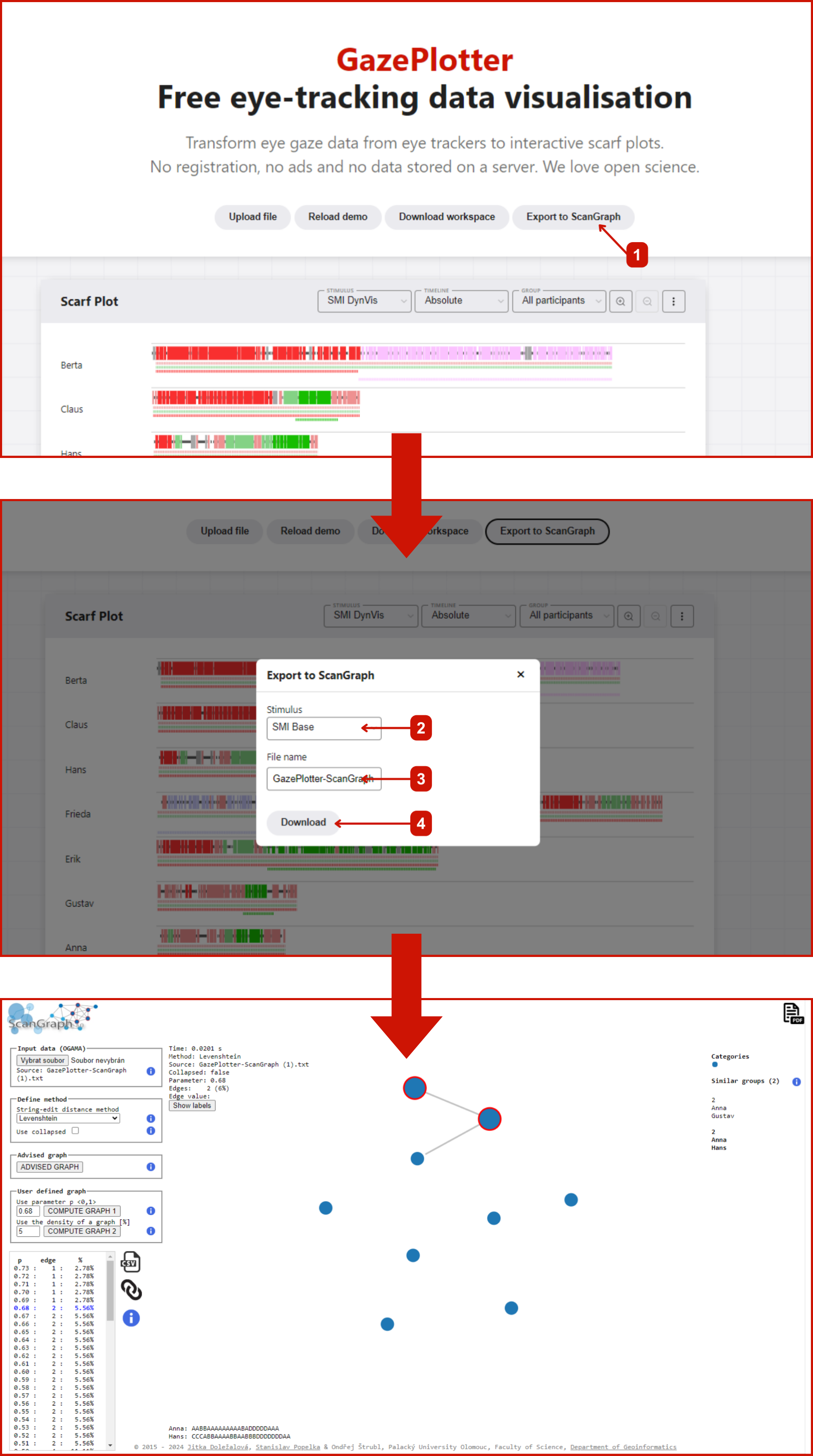
ScanGraph Export
ScanGraph Export writes fixation sequences as letter-coded strings in a .txt file for analysis in ScanGraph, an external scanpath-similarity tool.
ScanGraph-style network analysis is already built into GazePlotter — the Scanpath Similarity plot has a ScanGraph network view, powered by the Scanpath Similarity metrics. Use this export only if you want to run the standalone ScanGraph tool.
Output format
- Each AOI is assigned a letter; each participant’s fixations become a string of those letters.
- The file header lists the legend (which letter maps to which AOI, and
#for no fixation), followed by one sequence per participant.
Exporting
- Click Export in the workspace top bar.
- In Research Data Formats, click the ScanGraph Format card.
- Select the Stimulus and enter a File name.
- Click Export ScanGraph.
Using it in ScanGraph
- Open the ScanGraph web app.
- Upload the exported
.txtfile. - Run the analysis to generate similarity networks and visualizations.