Segmented Data Workflows (Export → Edit → Re-upload)
The Segmented Duration CSV format natively supports bi-directional round-trip pipelines: you can export raw segmented vectors, mechanically edit them inside a spreadsheet or programmatic text editor, and seamlessly re-ingest them back into GazePlotter.
This enables you to perform highly precise data manipulations, such as cropping irrelevant early segments, splitting specific stimuli into discrete subsets, and normalizing time baselines mathematically.
Standardized Format Requirements
Any CSV file interacting with this system must strictly adhere to the Segmented Duration CSV structure.
Required Data Schema
timestamp: Start time vector of the individual segment.duration: Absolute duration calculation of the individual segment.eyemovementtype: Binary eye movement classifier (0 = Fixation, 1 = Saccade).participant: Exact textual participant name assignment.stimulus: Exact textual stimulus name assignment.AOI: Exact textual AOI name collision (can securely remain empty).
Hard Editing Constraints
- Preserve Sequential Sorting: All row data must remain strictly in correct chronological order within every specific Participant × Stimulus combination block.
- Prevent Manual Timestamp Adjustment: Do not attempt to manually recalculate or shift timestamps. The GazePlotter import engine automatically re-normalizes them upon ingestion.
- Enforce Required Fields: The
participantandstimuluscells must always contain string values.
Workflow 1: Cropping Initialization Sequences
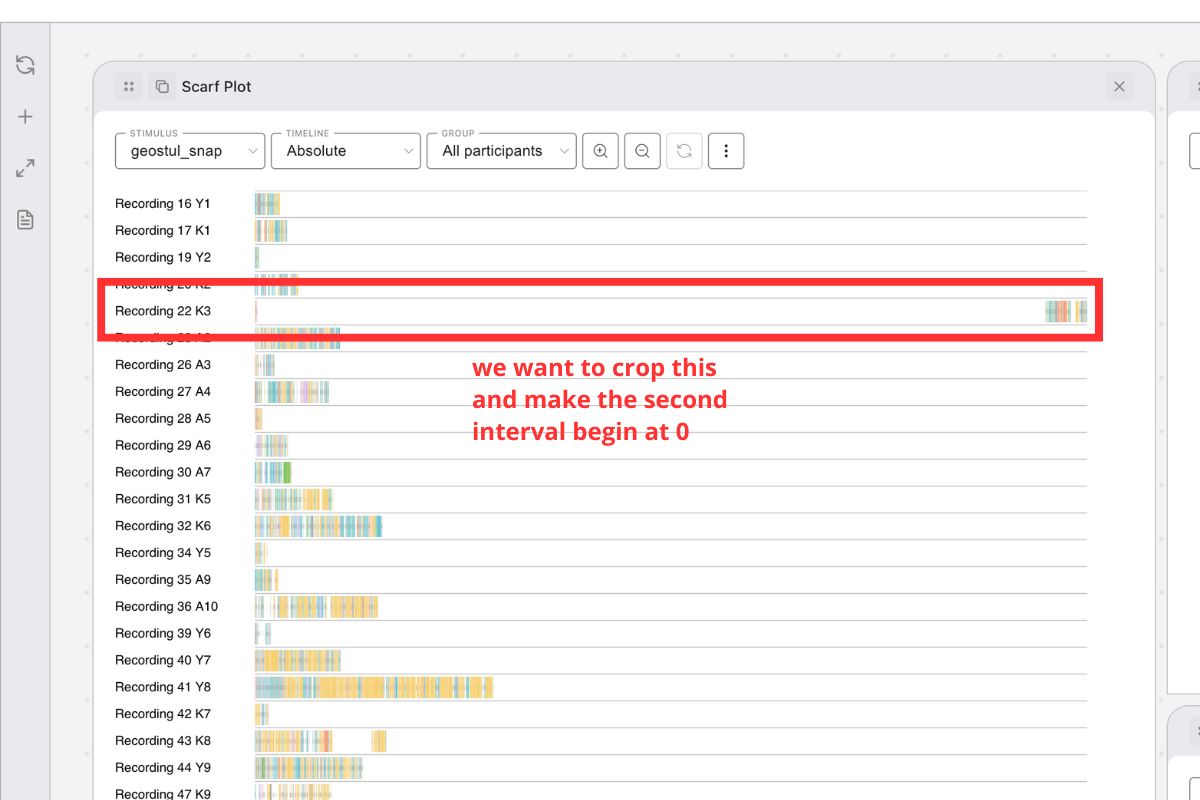
Mobile eye-tracking data often contains extensive initial setup phases, calibrations, or operator instructions. This workflow strips out this irrelevant early data while resolving the temporal baselines.
Execution Routine
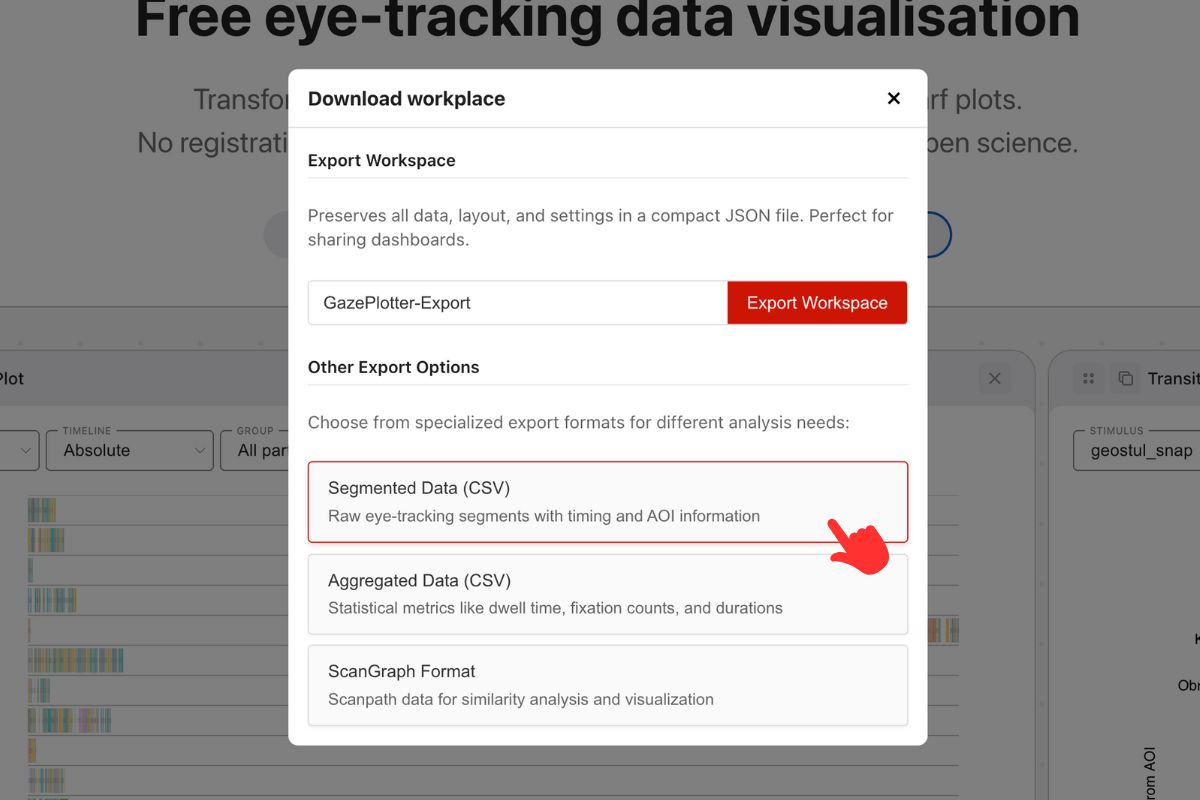
- Extraction: Command GazePlotter to output the dataset as a Segmented Data CSV.
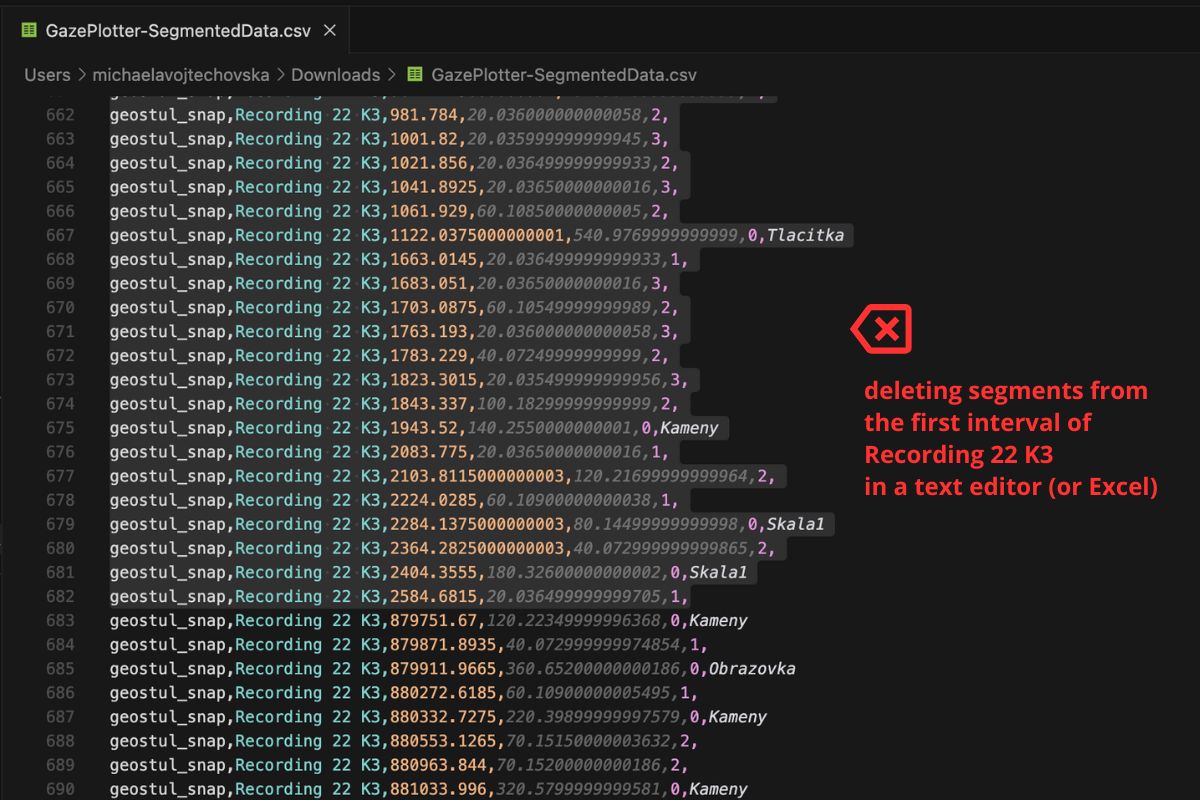
- Editing Environment: Open the exported
.csvdocument inside Excel, Google Sheets, or a dedicated text editor. - Filtering: Filter the view strictly to the specific Participant and Stimulus combination requiring truncation.
- Deletion: Manually highlight and permanently delete the specific rows (segments/fixations) that constitute the initialization period you wish to crop.
- Serialization: Save the active file cleanly as a standard comma-delimited
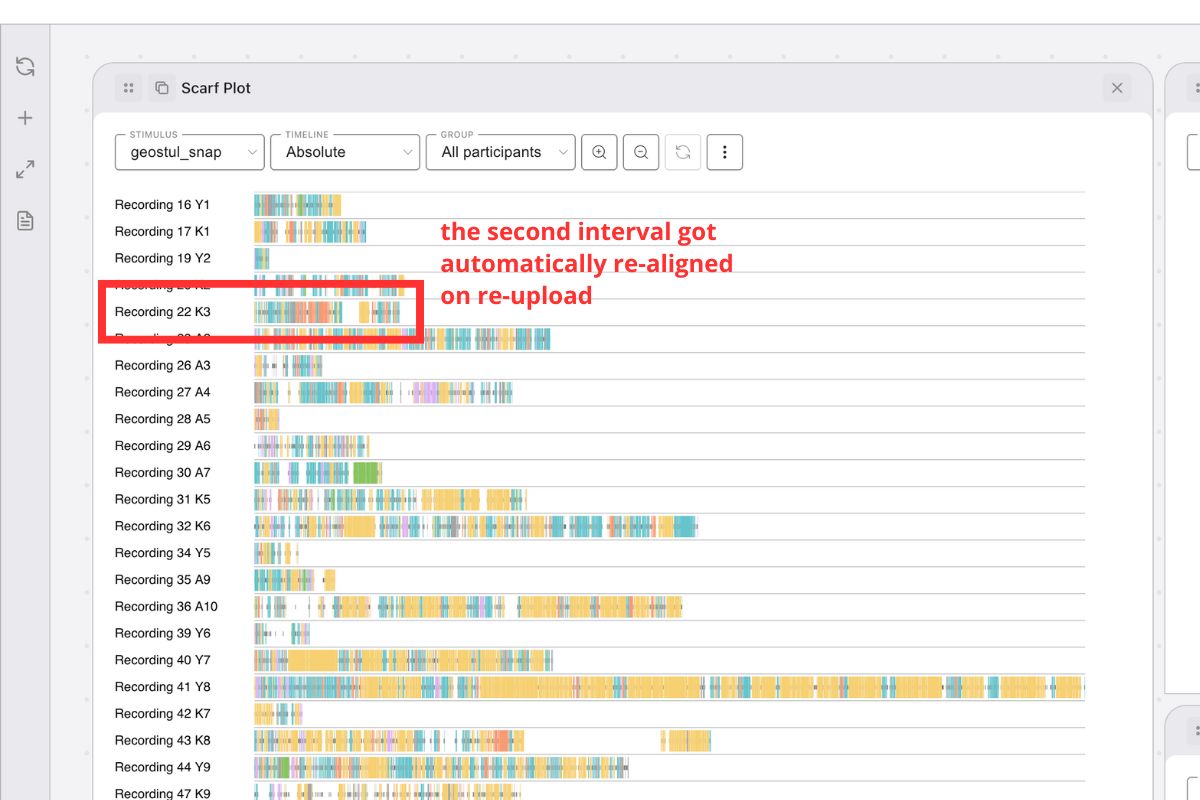
.csv. - Re-ingestion: Navigate back to GazePlotter and execute an upload via the Segmented Duration CSV schema.
System Behavior Result: The import engine reads the modified file and mechanically re-normalizes the timestamps. The first remaining segment of that specific Participant × Stimulus block is automatically rewritten as the new absolute 0 start time baseline.

Workflow 2: Segmenting Monolithic Stimuli
Lengthy, continuous recordings often encompass multiple independent analytical phases. This workflow explicitly shatters a single long recording into discrete, isolated stimuli strings.
Execution Routine
- Extraction: Output the root dataset via the standard Segmented Data CSV algorithm.
- Identification: Within the open CSV, locate the precise timestamps where your participants seamlessly transition between distinct task phases or physical environments.
- Semantic Renaming: Modify the string values in the
stimuluscolumn from the original monolithic name to new, highly semantic phase names (e.g., changeShopping_TasktoShopping_Selection,Shopping_Checkout,Shopping_Review) corresponding to their specific timestamps. - Serialization: Save the structurally modified spreadsheet as a standard
.csv. - Re-ingestion: Upload the newly mapped dataset utilizing the Segmented Duration CSV module.
System Behavior Result: GazePlotter processes the newly injected stimulus names as totally independent structures. Critically, each newly defined task phase is automatically assigned its own mathematical start baseline (time 0), effectively isolating them into clean discrete analytical blocks.